
Launch
Introducing our upgraded Salesforce integration
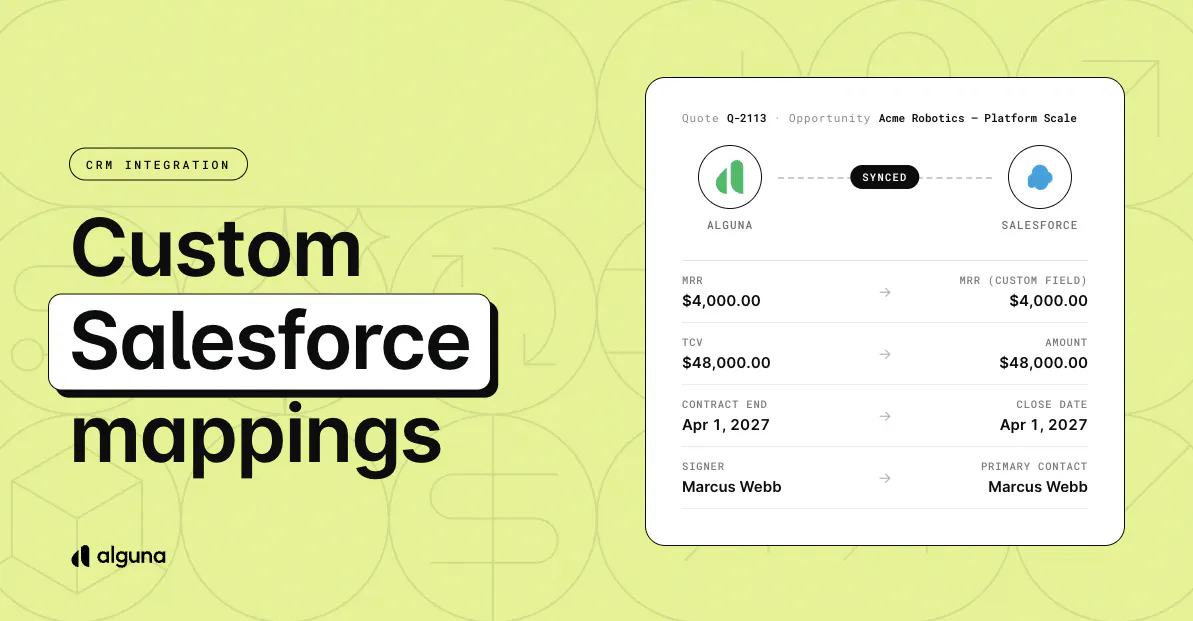
How can you use the upgraded Salesforce integration?
- Map any value to any field: Send ARR to an opportunity, contract dates to an account, or calculated values like 10% of ARR, on standard or custom objects
- Keep subscriptions current: Each active subscription syncs as a record, with every product and pricing tier underneath, and updates with every change
- Fill opportunities from quotes: Link a quote and its revenue, contract dates, and signer land on the opportunity. The opportunity updates whenever the quote changes or is signed.
⚙️ Self-serve setup: The field list comes straight from your Salesforce, so new custom fields appear as soon as you create them, and failed syncs retry automatically.
💰 The goal: Stop retyping billing data into Salesforce, chasing reps to update closed deals, and fixing opportunities that drift from the signed contract.
Learn more on our blog: https://blog.alguna.com/salesforce-integration-updates/
How to access it? Log into your account, head to Settings > Connections > Integrations > CRM, and choose your fields under Field mappings.