

upcoming invoice that accrues fixed charges and rated usage until the period closes, then moves through approval and issuance without anyone re-keying amounts. Use this page to understand what the schedule does on its own, which settings on the subscription control it, and how to review an invoice before it goes out.
The status vocabulary (upcoming, pending_approval, scheduled, …) is defined in Invoicing Configuration. For the subscription object itself, see How Alguna Works and Subscriptions.
What the schedule does
- Activation creates the billing schedule. The first period starts on the subscription’s
first_billing_date(or its start date), and the cadence follows the prices on the subscription — monthly, annual, in advance or in arrears per product. - During the period the invoice is
upcoming. Fixed charges are present from the start; metered lines are re-rated as usage events arrive; credits are applied as pending ledger entries. Editing a subscription version, changing the customer’s parent for roll-up billing, or granting credit all recalculate it. - When the period closes the invoice either becomes
scheduled(automatic approval) or stops atpending_approvalfor review, depending on the organization setting and the subscription’sauto_issue_invoicesflag. - On the issue date it is issued asynchronously (
processing→issued), delivered to the customer, and — ifauto_pay_invoicesis on and a payment method is saved — charged. See Invoicing Customers.
Subscription billing settings
The per-subscription controls are on the subscription’sbilling object, set at creation and updatable through PATCH /subscriptions/{id}:
invoice_settings, so every subscription created from a plan starts with them.
GET /subscriptions/{id}/billing-dates returns the valid billing dates for a subscription — useful when you want to align a start date to the schedule. See Get valid billing dates.
Finding a subscription’s invoices
Filter the invoice list bysubscription_id. The upcoming invoice for the current period is included, so you can show a customer what they are accruing before it is billed.
GET /invoices/{id} returns the full invoice, including line_items, subtotal, tax, total, amount_paid, amount_remaining, due_date, and external_reference (the customer-facing number). See Get an invoice.
Reviewing an invoice in the dashboard
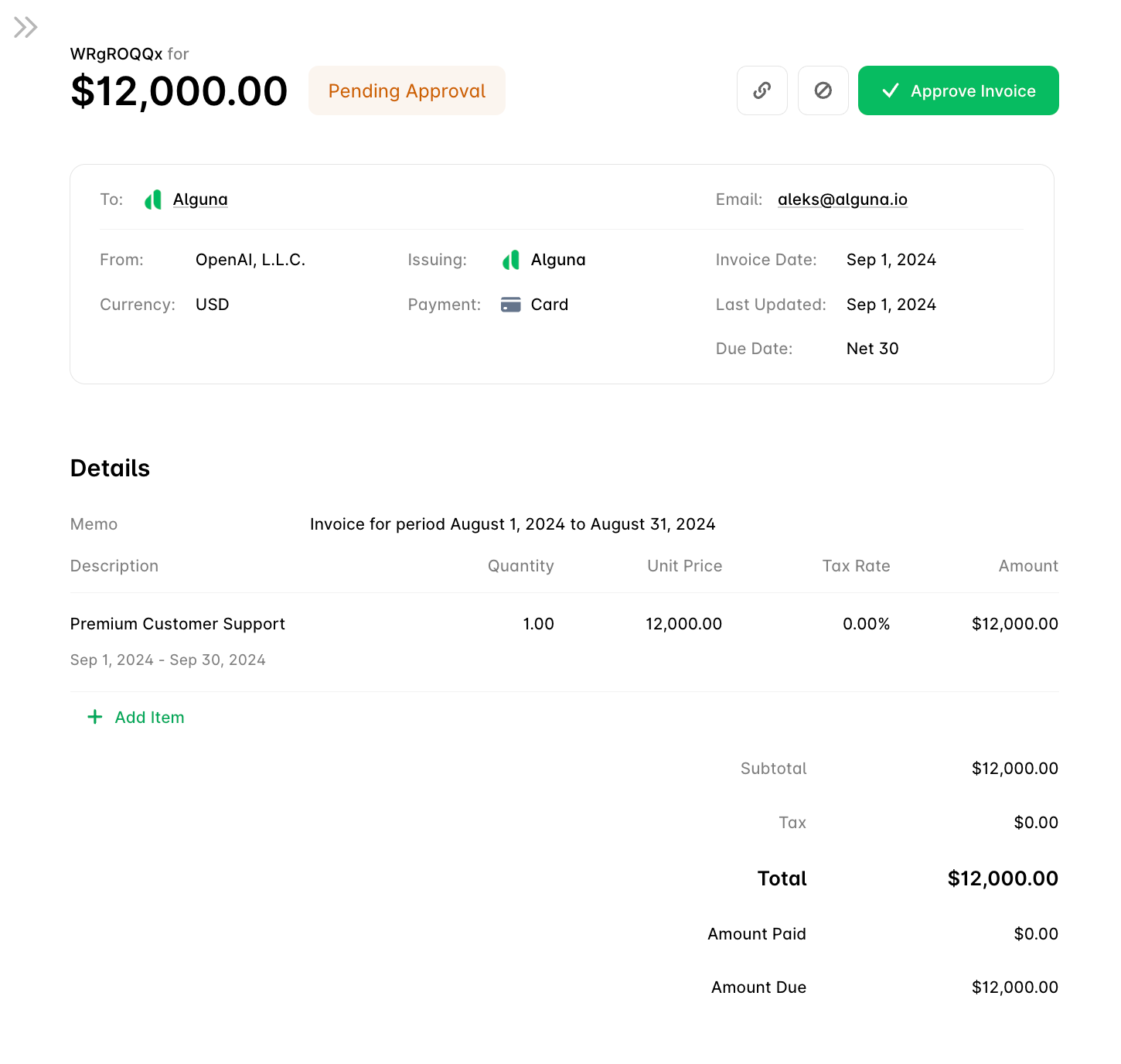
Open the invoice from Invoices. The header shows the total, the current status, and the actions available in that status.Header
- To — the billed customer. Hover to check or edit the billing address.
- From — the legal entity issuing the invoice.
- Currency — the subscription’s currency; see Multi-Currency.
- Payment method — the customer’s default, used when
auto_pay_invoicesis on. - Invoice date — when the invoice became ready for approval.
- Due date — computed from the payment terms when the invoice is issued.
Actions
- Approve Invoice — moves a
pending_approvalinvoice toscheduled; it is issued on its issue date. Approve several at once from the invoices list. - Copy Invoice Link — a link to the hosted invoice page.
- Cancel Invoice — withdraws the invoice before issuance (
canceled). Charges for that period are not re-billed.
Line items
The Details section lists each charge with its service period, quantity, unit price, and tax.- Add Item adds a line from the product catalog or a free-text line.
- Edit Item changes description, quantity, or unit price, then Confirm.
- Delete Item removes a line, with a confirmation step.
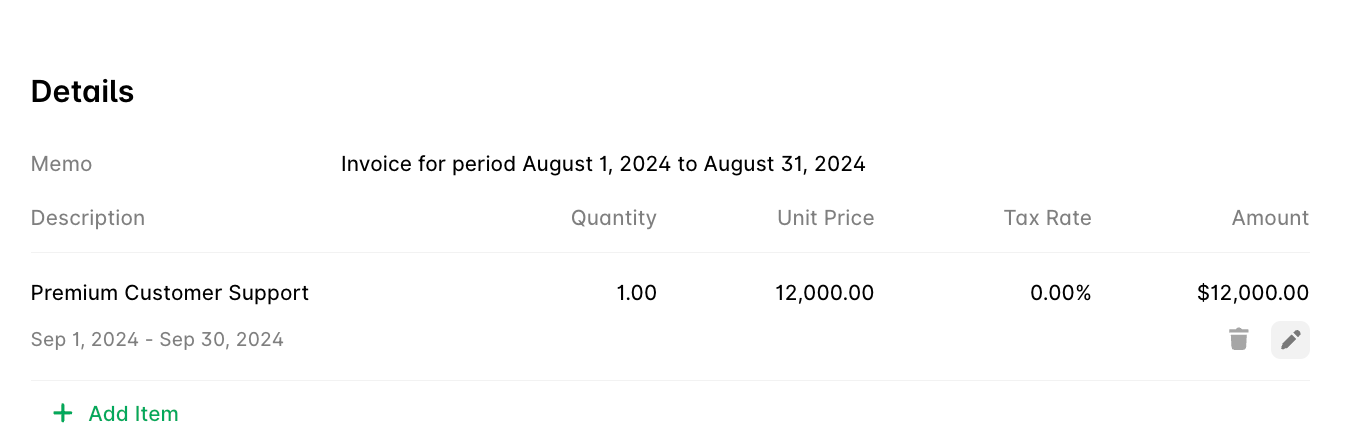
is_editable on the line item in the API. Lines generated from a subscription’s prices are re-rated by the schedule; manual lines are yours. The same operations are available on POST, PATCH, and DELETE /invoices/{id}/line-items — see One-Off Invoices.
Totals
- Subtotal — the sum of line amounts before tax.
- Tax — computed by Alguna Tax or an external provider.
- Total — subtotal plus tax.
- Amount paid and Amount due — collection against the total.
Next steps
Invoicing Configuration
Statuses, numbering, memo variables, and approval settings.
Invoicing Customers
Delivery, AutoPay, and payment collection.
Roll-Up Billing
Bill a parent customer for its subsidiaries’ subscriptions.
Revenue Recognition
How issued invoices become revenue schedules.