

Sending and signing happen in the dashboard; there are no public API endpoints for quotes. When the signed quote activates, the subscription is readable via the API and a
subscription.activated webhook fires, so downstream systems can react without polling.1
Choose how to activate
Open the quote and click Activate Subscription. You are offered two options: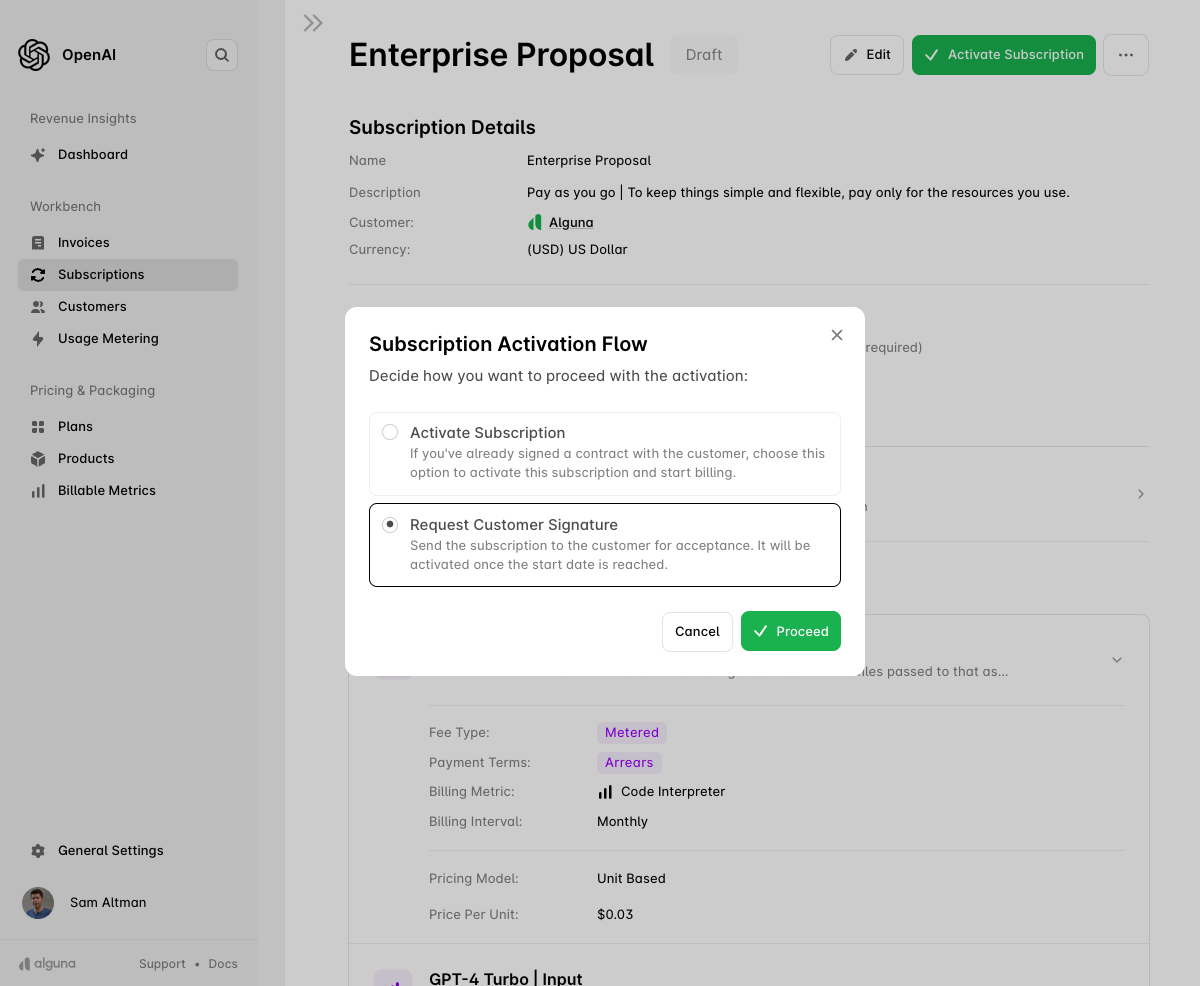
- Activate Subscription — use this when you already hold a signed contract and want billing to start on the contract start date. The subscription becomes
active(oraccepteduntil the start date arrives) with no customer action. - Request Customer Signature — use this to send the quote to the customer for review and e-signature. The subscription only activates once the customer signs and the start date is reached.
2
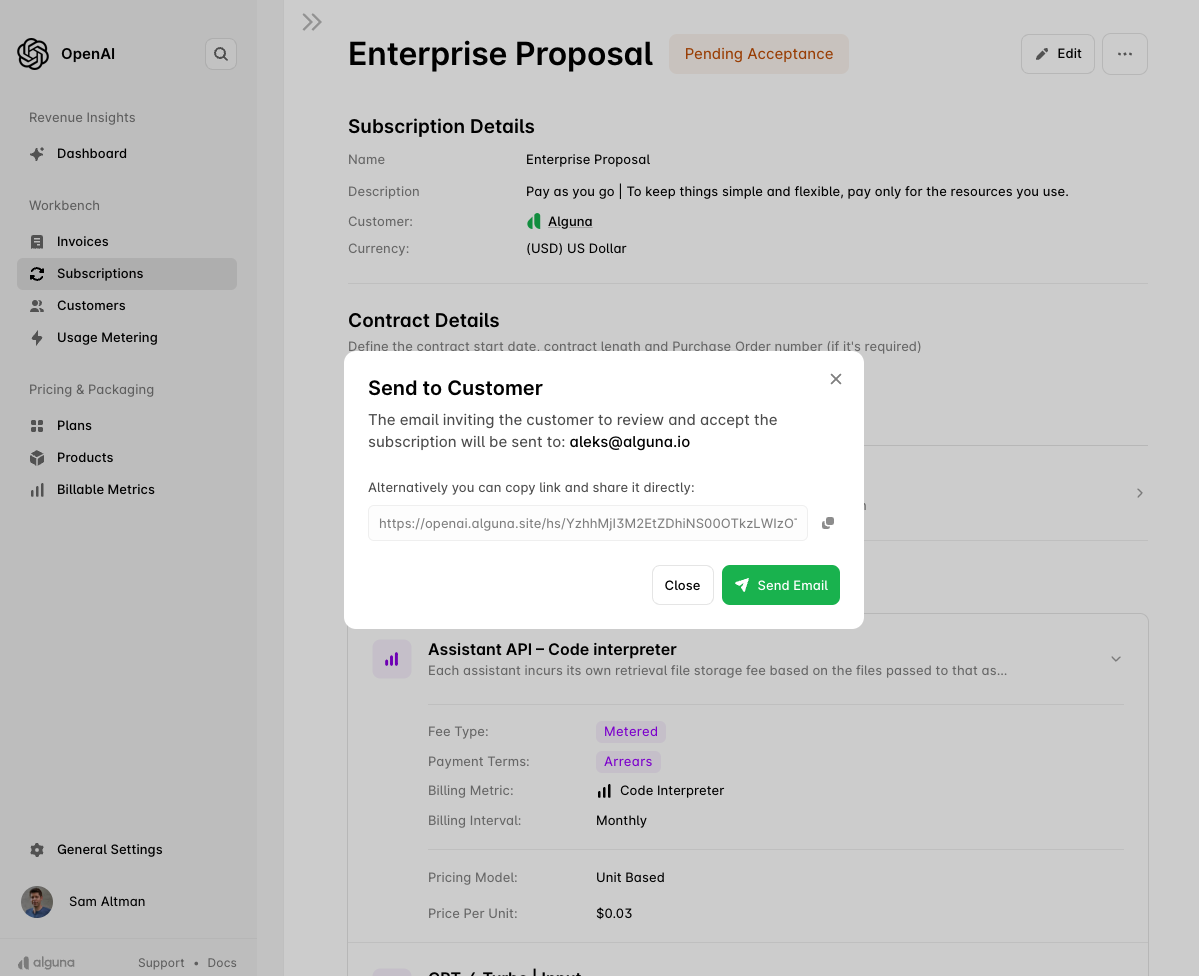
Send to the customer
- Email address — confirm where the signing invitation goes. By default it is sent to the customer’s contact with the Legal email preference; see Customer Contacts.
- Copy link — copy the unique signing link to share through your own channel instead.
- Internal countersignature — if your contracts require both parties to sign, add an internal signer. The subscription does not activate until both signatures are in.
3
Track it in Sent
While the signature is outstanding the quote shows as Sent. You can still edit the quote in this state. If the quote carries an expiry date and it passes without a signature, the quote becomes Expired. You can also Withdraw a sent quote to pull it back.
4
Customer signs
The customer reviews the terms, pricing and billing intervals and signs electronically. On signature:
- the quote becomes Signed and the subscription becomes
accepted; - both you and the customer receive a confirmation email;
- the signed PDF is attached to the subscription, downloadable in the dashboard or via
GET /subscriptions/{id}/pdf; - on the contract start date the subscription becomes
active, billing begins, andsubscription.activatedfires.
After activation
The signed quote is now an ordinary subscription. Everything downstream is automatic and API-visible:
To change the deal later, use an amendment: an amendment quote can be sent for signature in exactly the same way.