

plan_id you pass when creating a subscription via the API. See How Alguna Works for how plans relate to subscriptions.
What a plan contains
Create a plan
In the dashboard
Go to Plans (or Sandbox) and click New Plan.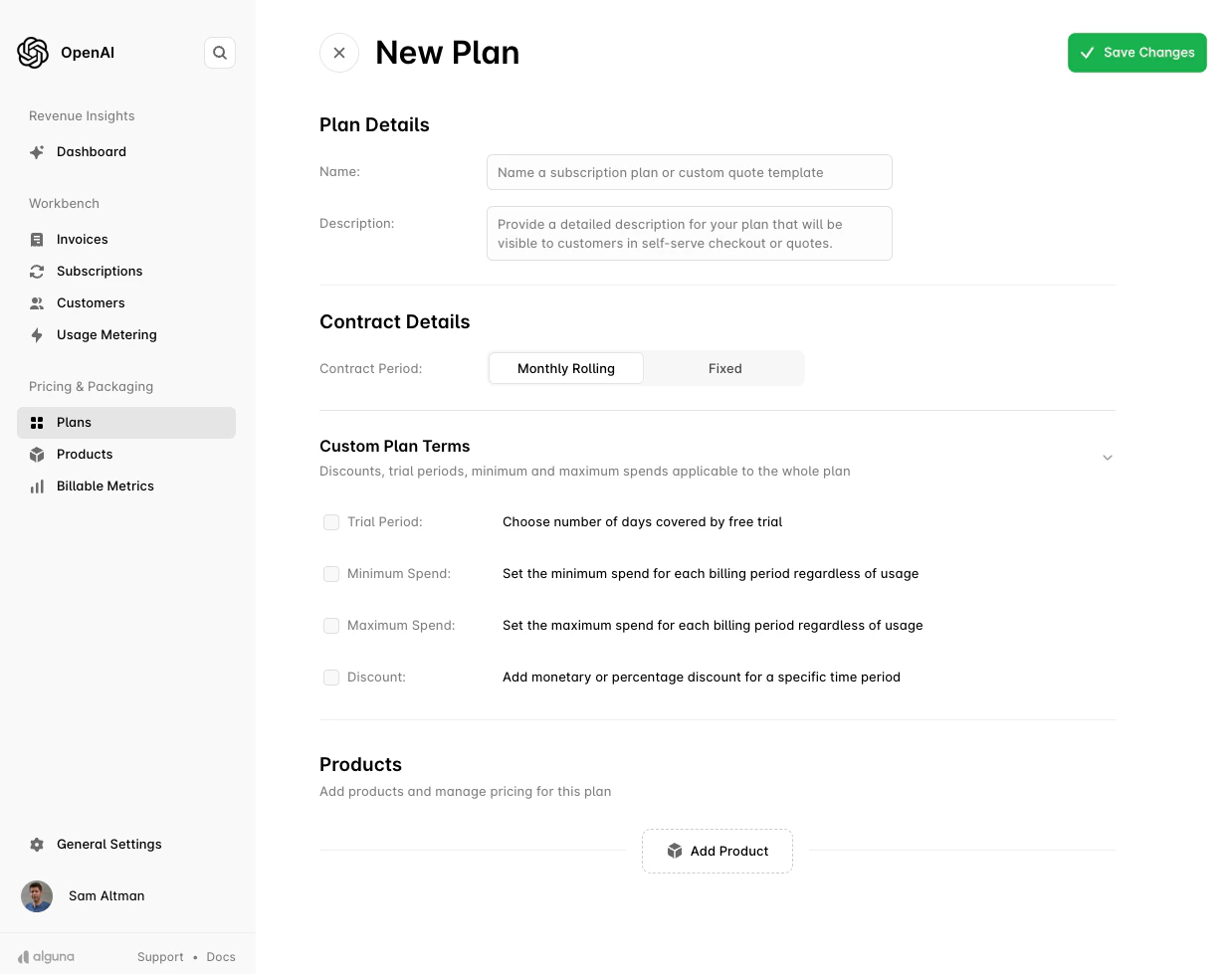
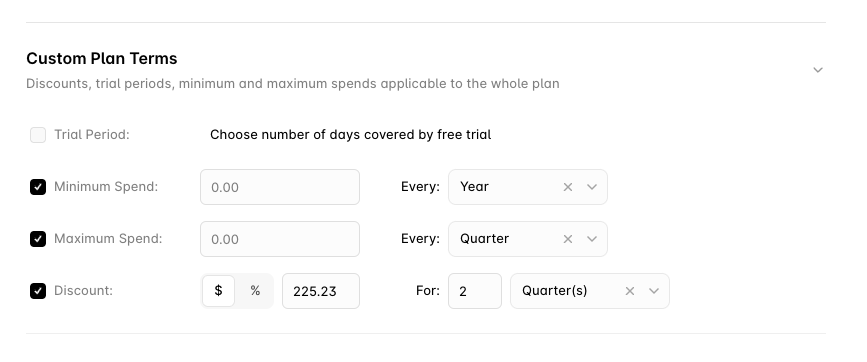
- Trial period: days before billing starts.
- Minimum spend: a floor the customer is billed each period regardless of usage. Can be billed in advance and drawn down, or trued up in arrears.
- Maximum spend: a cap on what is billed in a period.
- Discount: a percentage or fixed amount, for a set duration or rolling monthly until removed.
- Price escalation: a percentage uplift applied every N months, for ramped multi-year deals.
Via the API
Use Create a plan (POST /plans). This example packages a monthly platform fee with graduated API usage on a 12-month auto-renewing contract:
GET /plans) and Get a plan (GET /plans/{id}). Plans are edited in the dashboard; the API has no update or delete for plans.
Pricing models on plan items
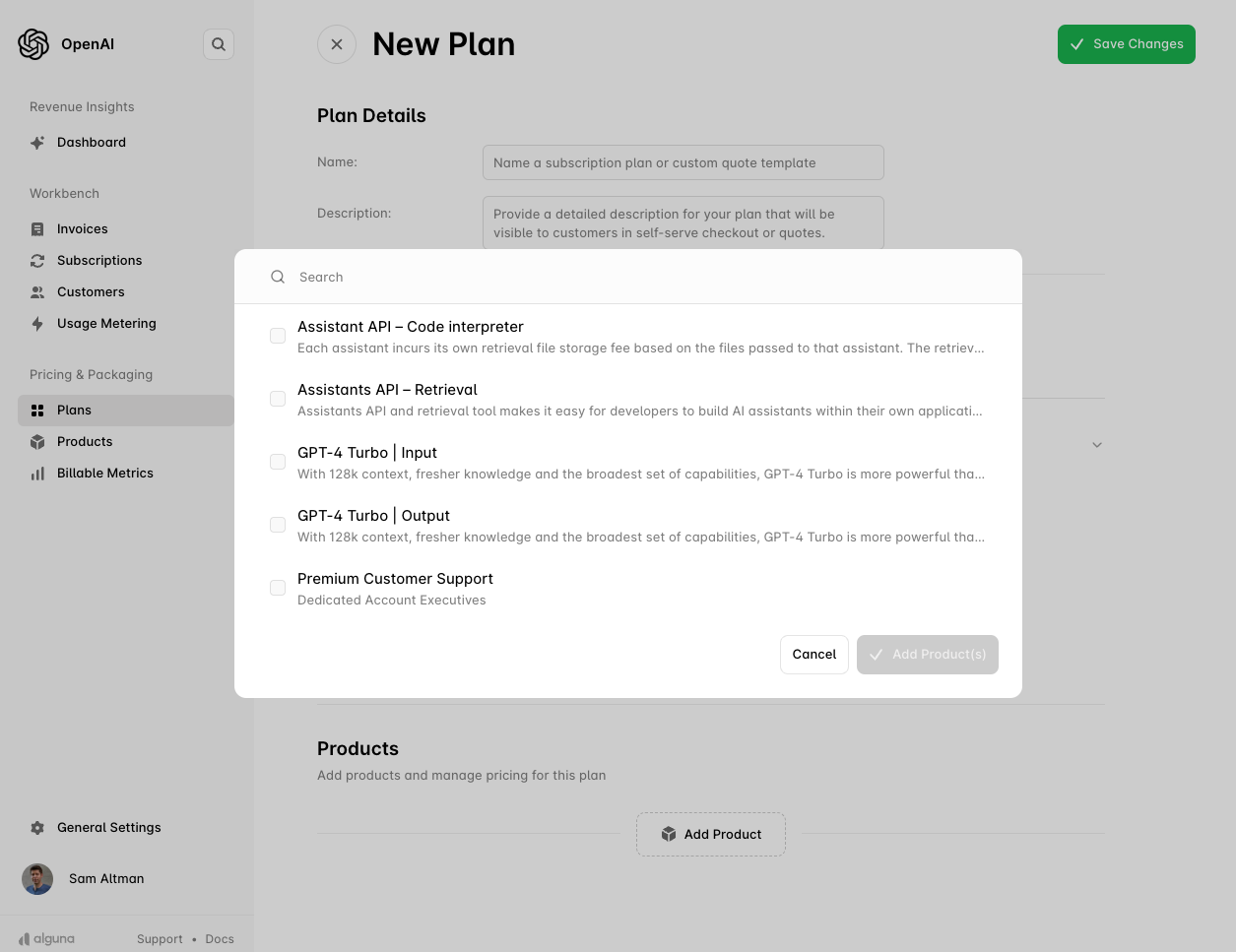
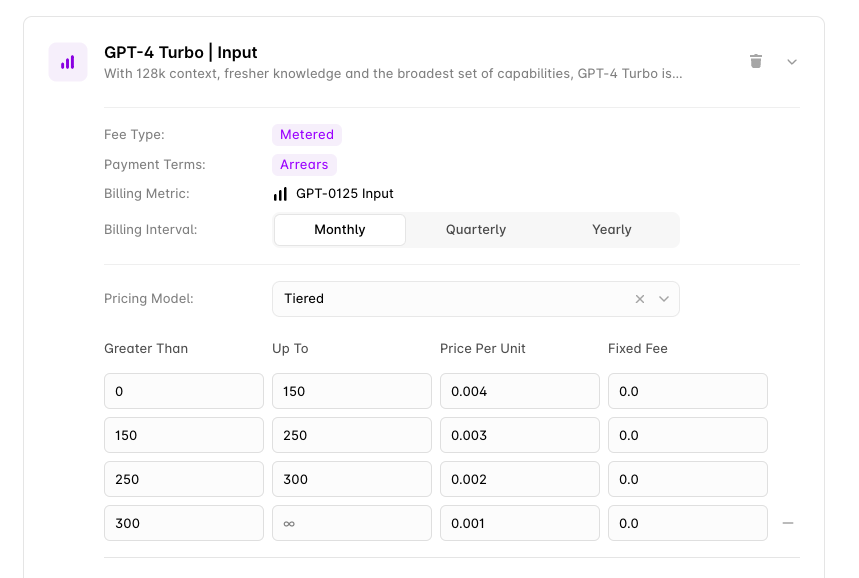
Each item’sprice.type picks one of the eleven pricing models: fixed, unit, tiered, graduated_tiered, prepaid_tiered, prepaid_fixed_tiered, tiered_percentage, graduated_percentage, volume_percentage, expression and matrix. Pricing Models explains each with worked examples; the reference has the request shape.
How plans are used
- Self-serve checkout — a buyer selects the plan in hosted checkout and the subscription is created without a human in the loop. Pass the
plan_idwhen creating a checkout session. - Sales-led quotes — a rep starts a quote from the plan and negotiates from there. The signed quote becomes the subscription.
- API-created subscriptions — pass
plan_idtoPOST /subscriptions. Senditemsalongsideplan_idto override individual prices or append add-ons for that customer; see Creating a Subscription.
Next steps
Create your first subscription
Turn a plan into a live subscription.
Hosted checkout
Let customers buy a plan without sales.
Quotes
Negotiate from a plan and capture a signature.
Entitlements
Provision feature access alongside the plan.