

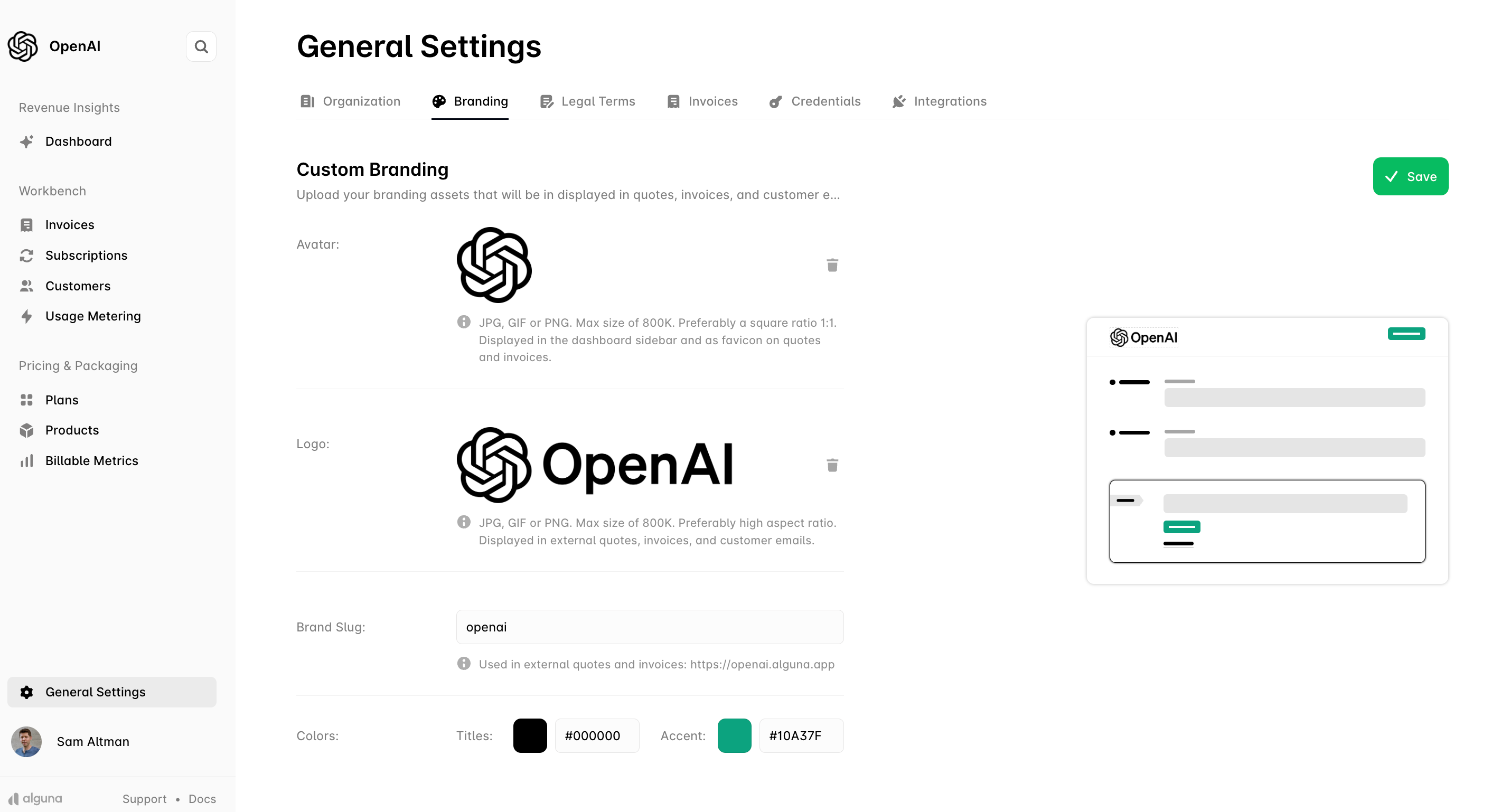
Avatar
- Where it appears: the dashboard sidebar, and as the favicon on quotes and invoices
- Formats: JPG, GIF or PNG
- Maximum size: 800 KB
- Recommended shape: square (1:1)
Logo
- Where it appears: external quotes, invoices, customer emails, checkout and the portal
- Formats: JPG, GIF or PNG
- Maximum size: 800 KB
- Recommended shape: a wide aspect ratio
Brand slug
The brand slug is the subdomain your hosted pages are served on. It appears in every quote, invoice, checkout and portal URL, so choose it once and keep it stable.- Example: the slug
openaigiveshttps://openai.alguna.appin production (sandbox usesalguna.site) - To serve hosted pages from a domain you own instead, see Custom domains
Colors
- Titles color: hex code for headings on customer-facing documents, for example
#000000 - Accent color: hex code for highlighted elements and buttons, for example
#10A37F
Click Save to store your changes.
Next
- Business details — names, address and tax details printed alongside the logo
- Custom domains — replace
<slug>.alguna.appwith your own domain - Customer portal and Hosted checkout — the pages this branding is applied to