

Quotes are built, approved, sent and signed in the dashboard. There are no public API endpoints for quotes. Once a quote is signed and active, the resulting subscription is fully available through the API: read it with Get a subscription, its priced items with Get the current active subscription version, and the signed order form with Download a subscription PDF. An AI assistant connected through the MCP server can read quotes and draft new-business quotes for you to review; sending, signing and activation stay in the dashboard.
Quote lifecycle
A quote is the signature document for exactly one subscription. Its status tells you where the deal is:
For a new deal the quote and its draft subscription share a status, so the quote list shows the same status you will see on the subscription. Renewal and amendment quotes carry their own document status independently of the active subscription they change.
Create a quote
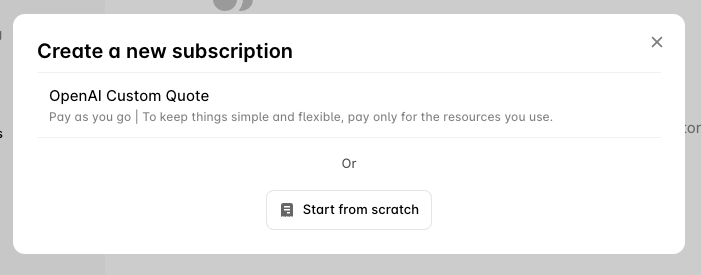
- a plan, which copies its products, prices and terms as the starting point;
- an existing subscription, which duplicates a deal you have already closed;
- a blank canvas, adding products one at a time.
Quote details
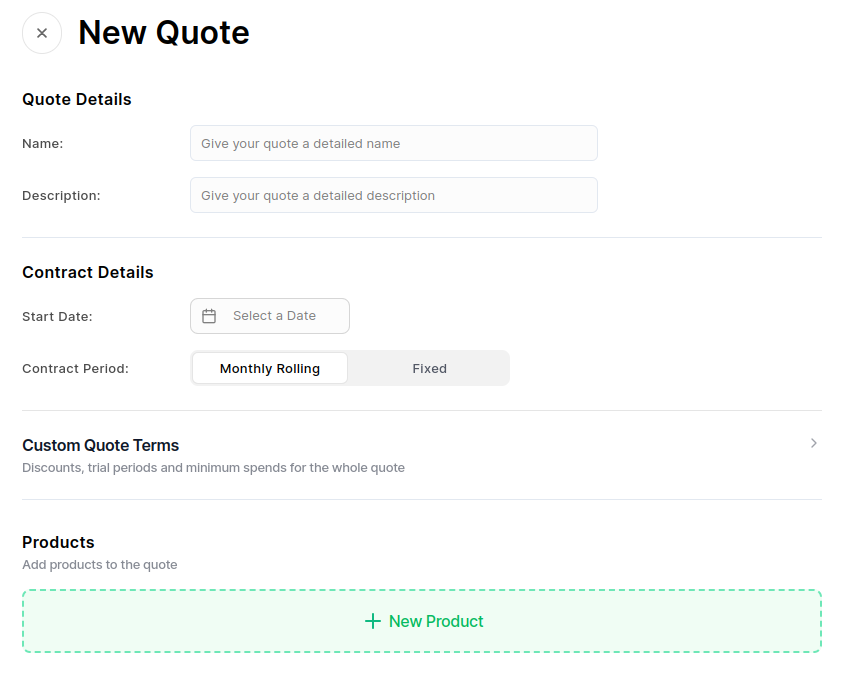
- Name and Description: shown to the customer on the order form.
- Contract period: Fixed for a set number of months, or Monthly Rolling.
- Start date: when the subscription begins once signed. Billing starts from here, not from the signature date.
- Expiry: optionally, a date after which the quote can no longer be signed.
Quote-wide terms
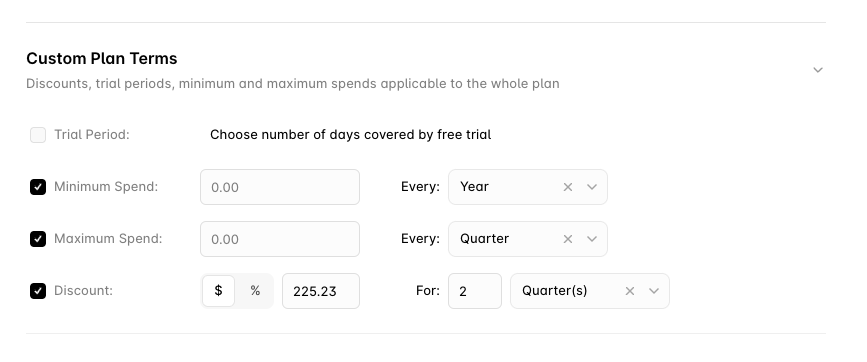
These apply to the whole quote:- Trial period: days before billing starts.
- Minimum spend: a floor billed each period regardless of usage.
- Maximum spend: a cap on what is billed in a period.
- Discount: a percentage or fixed amount, for a set duration or rolling until removed.
- Price escalation: a percentage uplift every N months, for ramped multi-year deals.
Add products
Click Add Product, search for the products to include, and Save.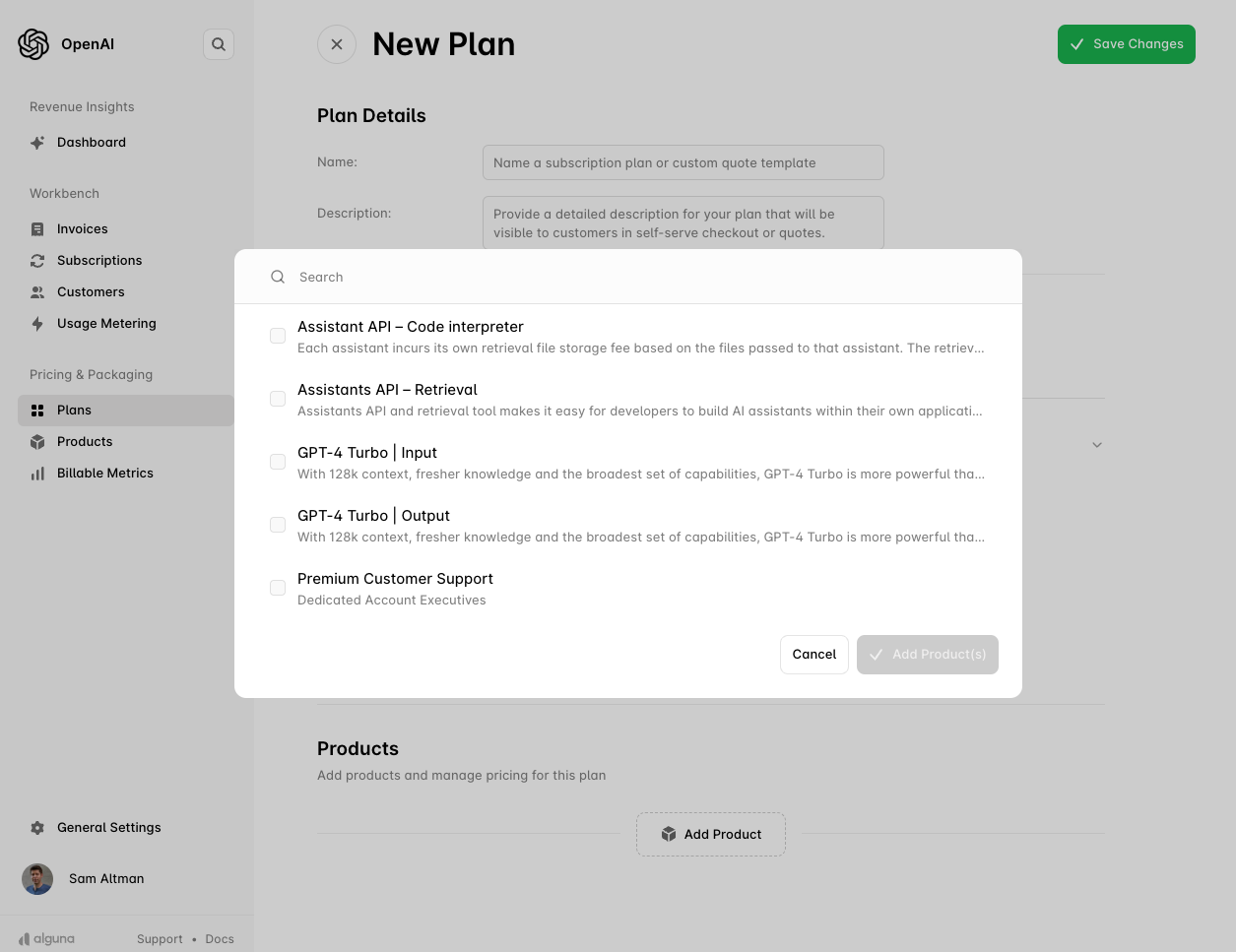
- Fixed products: set the amount and the billing interval (monthly, quarterly, semi-annual, yearly).
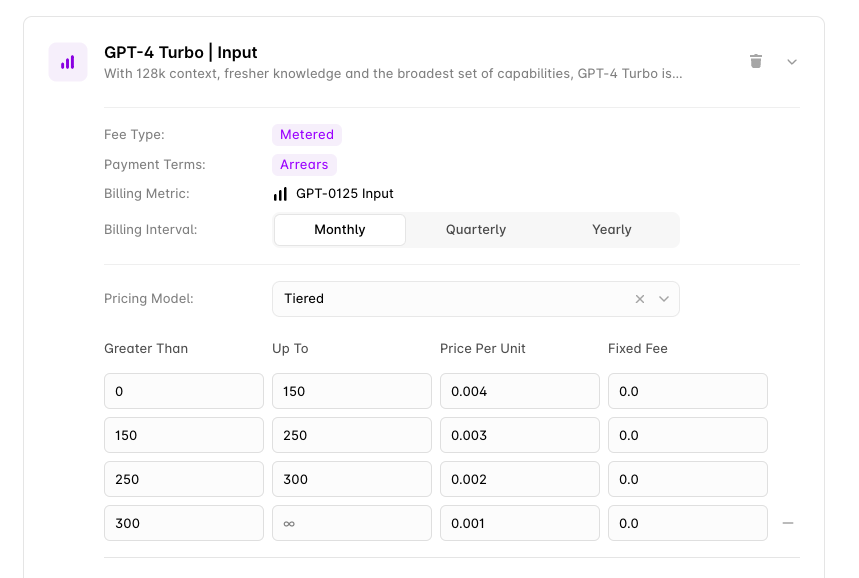
- Metered products: set the billing interval and the pricing model: per unit, tiered, graduated, prepaid with overages, percentage, expression or matrix.
- Per-product terms: each line can carry its own trial, minimum spend, maximum spend and discount.
- One-off items: implementation or training fees use products with
billing_frequency: one-off; they can be charged on contract start.
Ramps and phases
For multi-year deals with scheduled price changes, add a phase per period with its own pricing. Each phase becomes a scheduled subscription version when the quote activates, and the customer signs once for the whole schedule.Approval
If an approval rule matches (for example a discount above a threshold, or a modified standard clause), the quote enters Pending approval when you submit it, and approvers are notified. Track and action approvals under Quotes → Approvals. Once approved, sending proceeds; if rejected, edit and resubmit. Amendment and renewal quotes have their own approval flow, described in Amendment and Renewal Approvals. While you edit a new or renewal quote, the builder shows which rule would apply, and why, before you save. A note under the line, the contract term or the clause that a rule matches names the rule and the reason, and a Needs approval pill next to the save button lists every reason. The hints never block an edit or the save: the check when you submit stays the authority.Renewal and amendment quotes
Quotes are not only for new deals:- An amendment quote captures a mid-term change to an active subscription (added products, new pricing, changed terms) as a signable document. When the customer signs, the staged change is published as a new version of the existing subscription. See Amendments.
- A renewal quote does the same for the terms that will apply from the next contract term.