

- From a plan, in the dashboard or via
POST /subscriptions. See Create your first subscription. - From a signed quote, for sales-led deals. See Sending Quotes.
- From self-serve checkout, created automatically when the buyer completes hosted checkout.
The subscription object
The priced items themselves are not on the subscription; they live on its versions. Read the current ones with
GET /subscriptions/{id}/versions/current.
Subscription statuses

Create and activate via the API
Create from a plan and activate in one call withauto_activate: true. Omit it to create a draft you can review first, then call Activate a subscription.
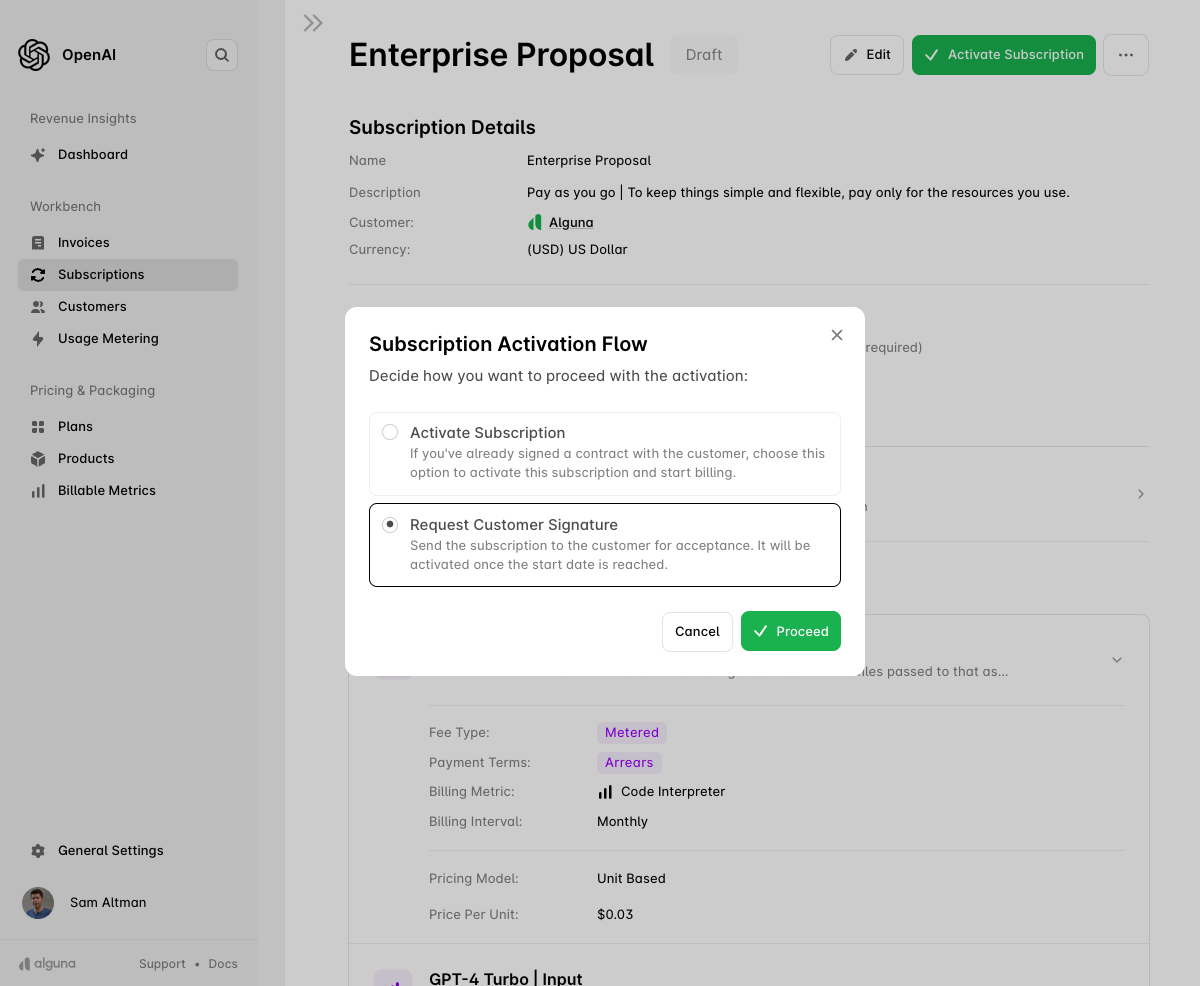
Activate via the dashboard
Once the products are added, click Activate Subscription. You are offered two options:- Activate Subscription — use this when the contract was signed outside Alguna and billing should start on the contract start date.
- Request Customer Signature — sends the subscription to the customer as a quote for acceptance and e-signature. It activates only once the customer signs and the start date is reached. See Sending Quotes.
After activation
Alguna emitssubscription.activated when the subscription goes live, subscription.started at the start of each billing period, subscription.updated when a top-level attribute changes, and subscription.version.updated when pricing changes through a version. See Webhooks.